
Advanced Lists
Each theme (PARA) has an index file (ending with .README or with the same name as the folder). In this index file, there are three types of advanced lists: "Theme Tasks", "Theme Bullets", and "Theme Files". These are used to index "Theme Tasks", "Theme Bullets", and "Theme Files" that are "tagged with the current theme tag" scattered throughout the entire repository!
Creation
Creating "Theme Tasks", "Theme Bullets", "Theme Files" through Advanced Lists
Creating "Theme Tasks"
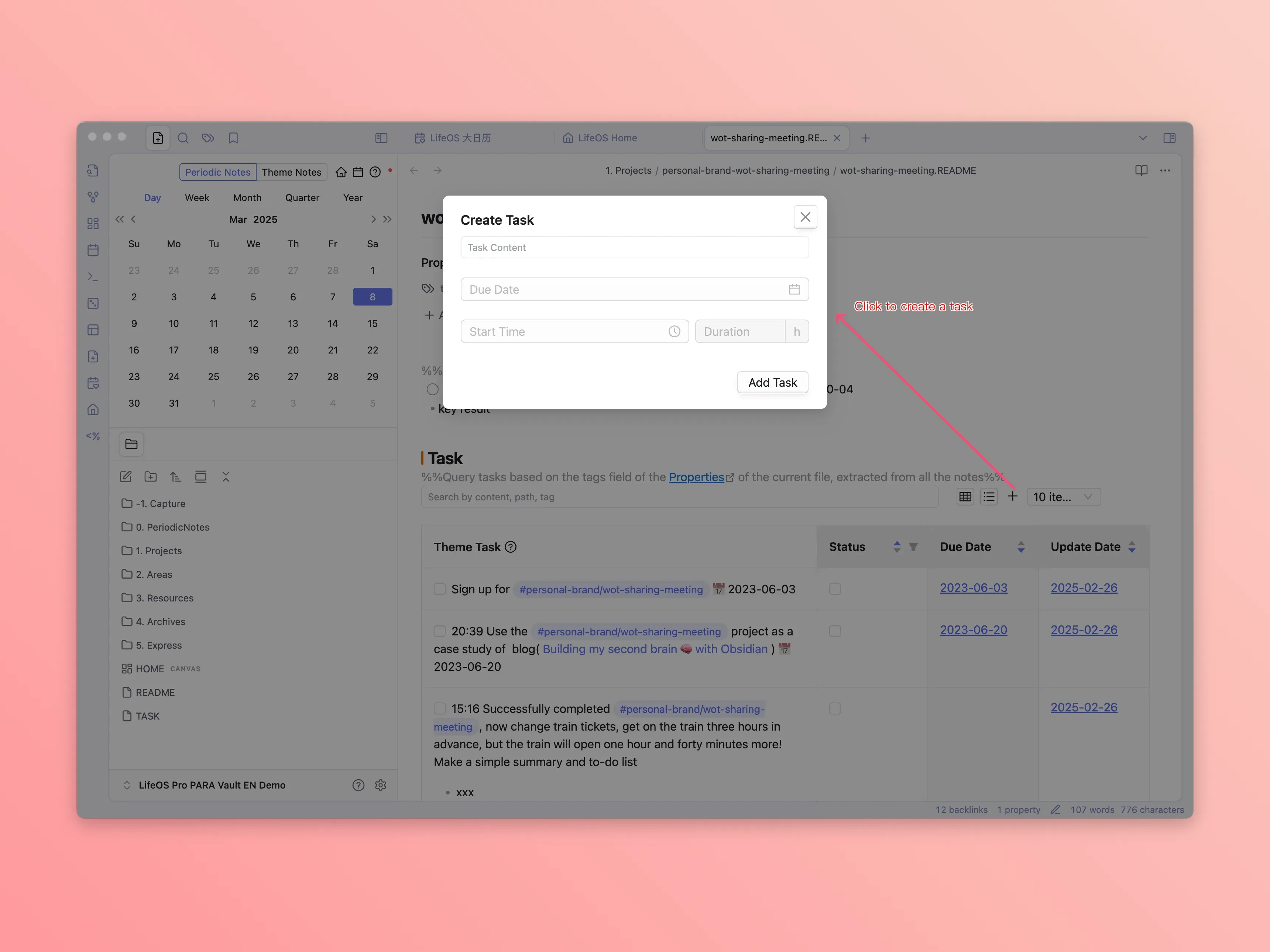
Creating "Theme Bullets"
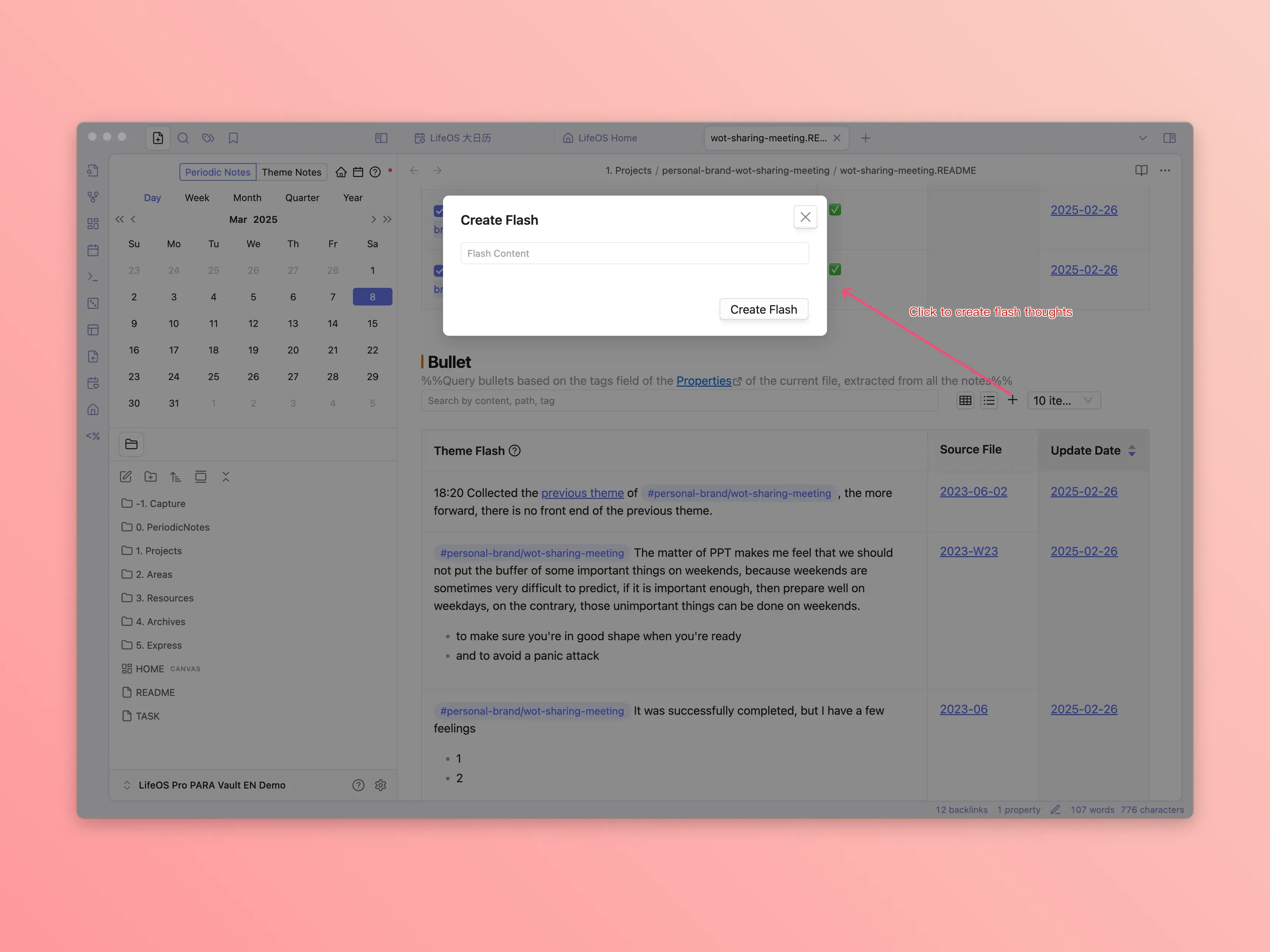
Creating "Theme Files"
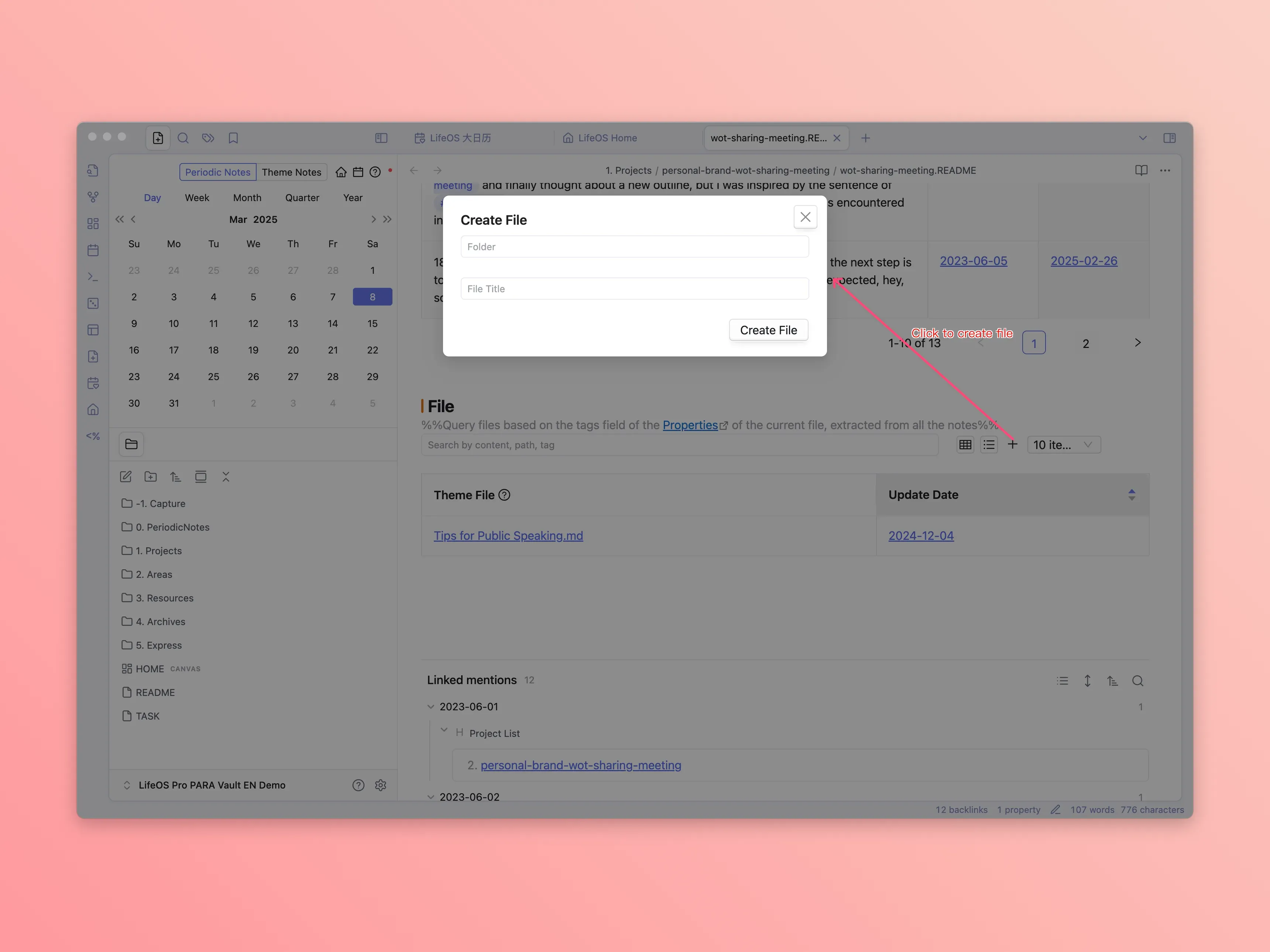
Creating "Theme Tasks", "Theme Bullets", "Theme Files" in Notes
In periodic notes "Daily", "Weekly", "Monthly", "Quarterly", "Yearly", you can create them through the following methods:
Creating "Theme Tasks"
As long as you tag a task with the corresponding theme tag, that task will be indexed by the "Advanced List" task list
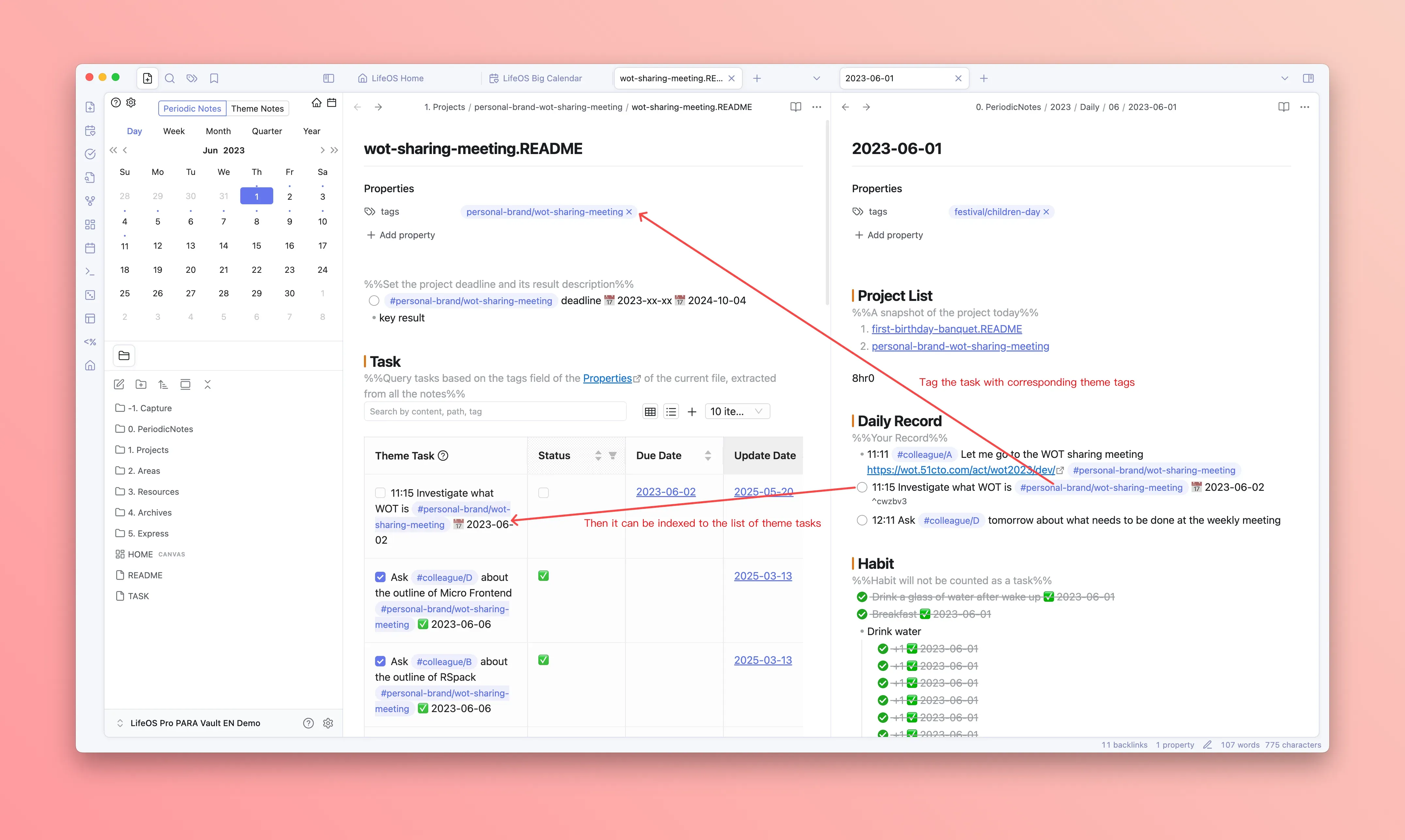
Creating "Theme Bullets"
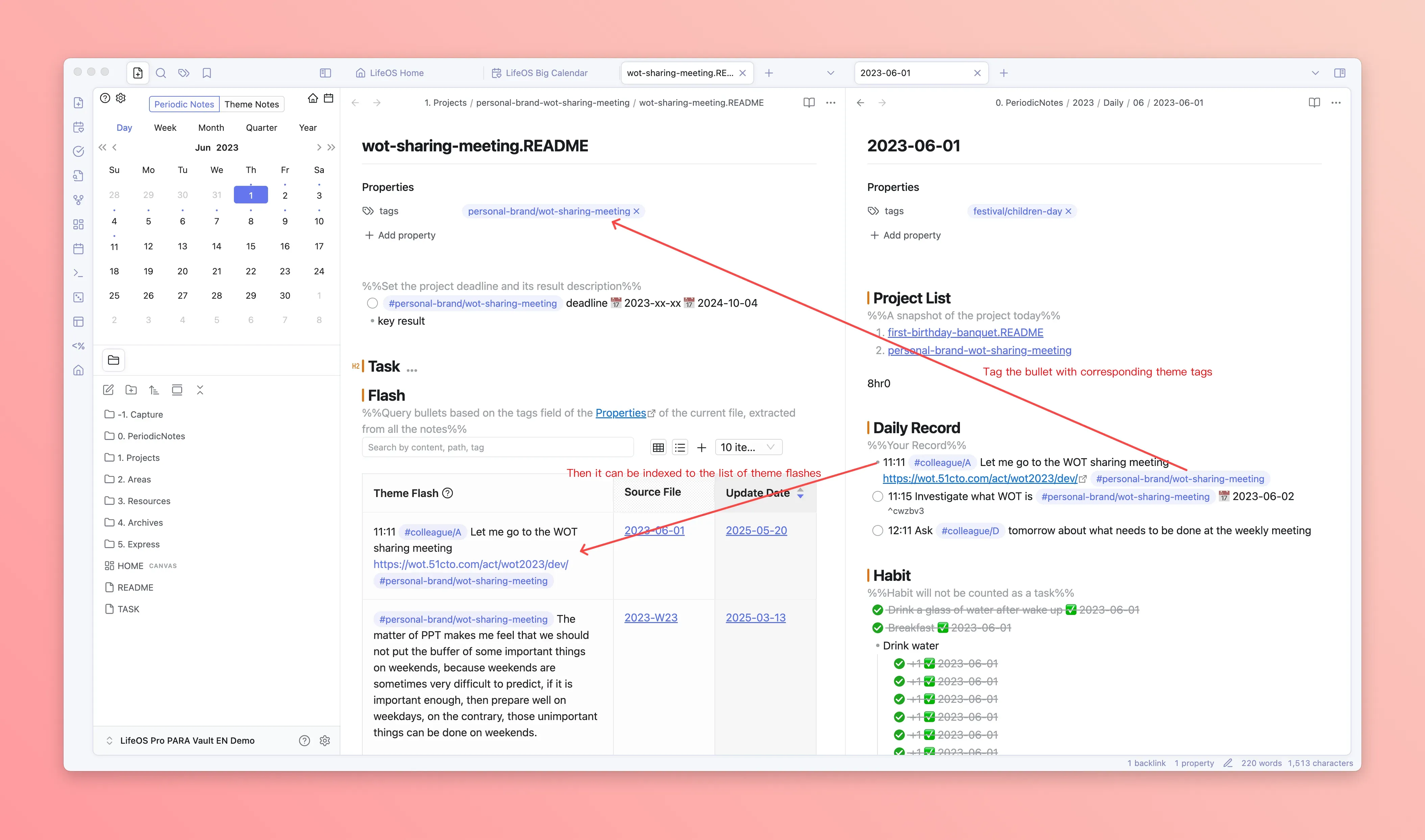
As long as you tag a bullet with the corresponding theme tag, that bullet will be indexed by the "Advanced List" bullet list
Creating "Theme Files"
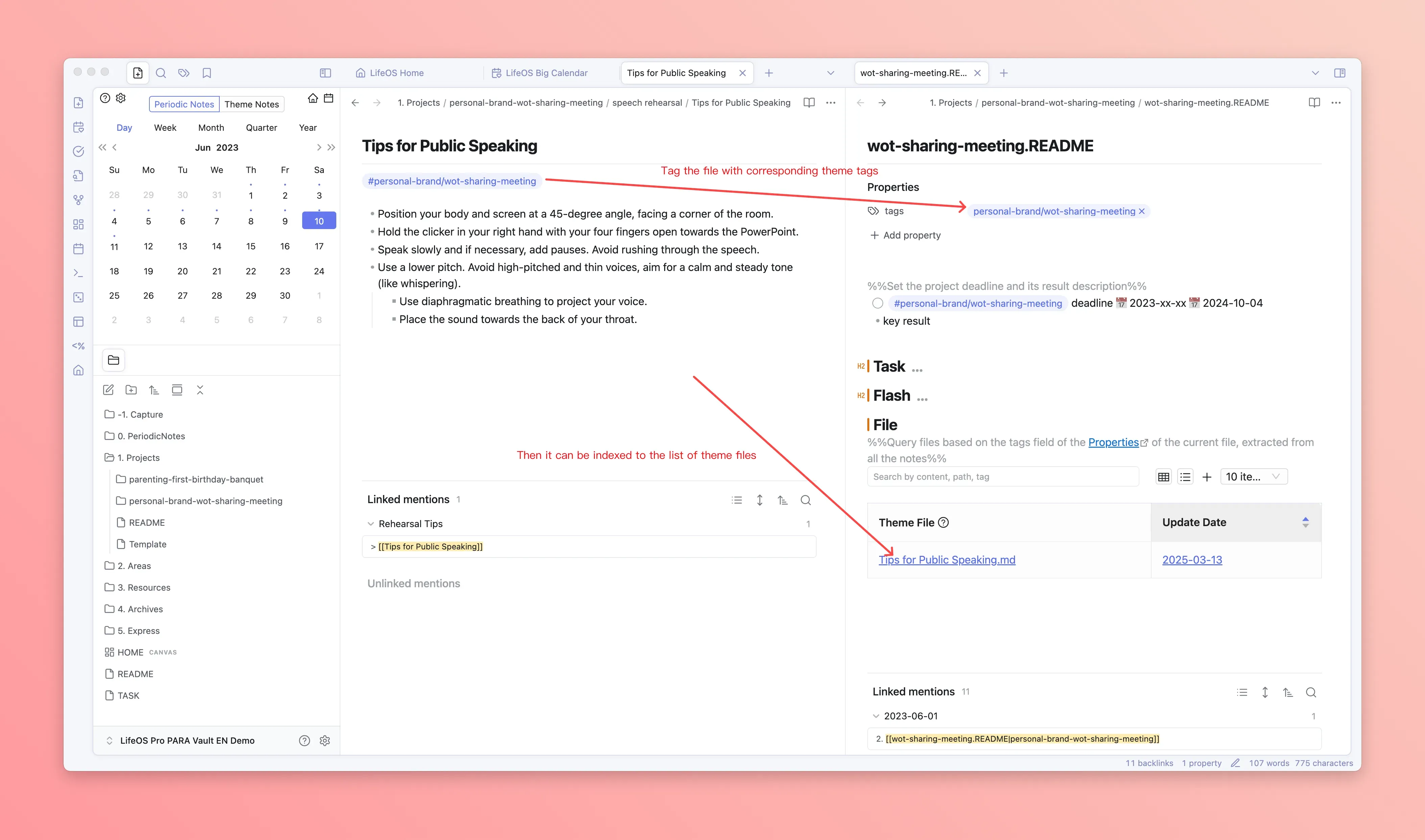
As long as you tag a file with the corresponding theme tag, that file will be indexed by the "Advanced List" file list
Search
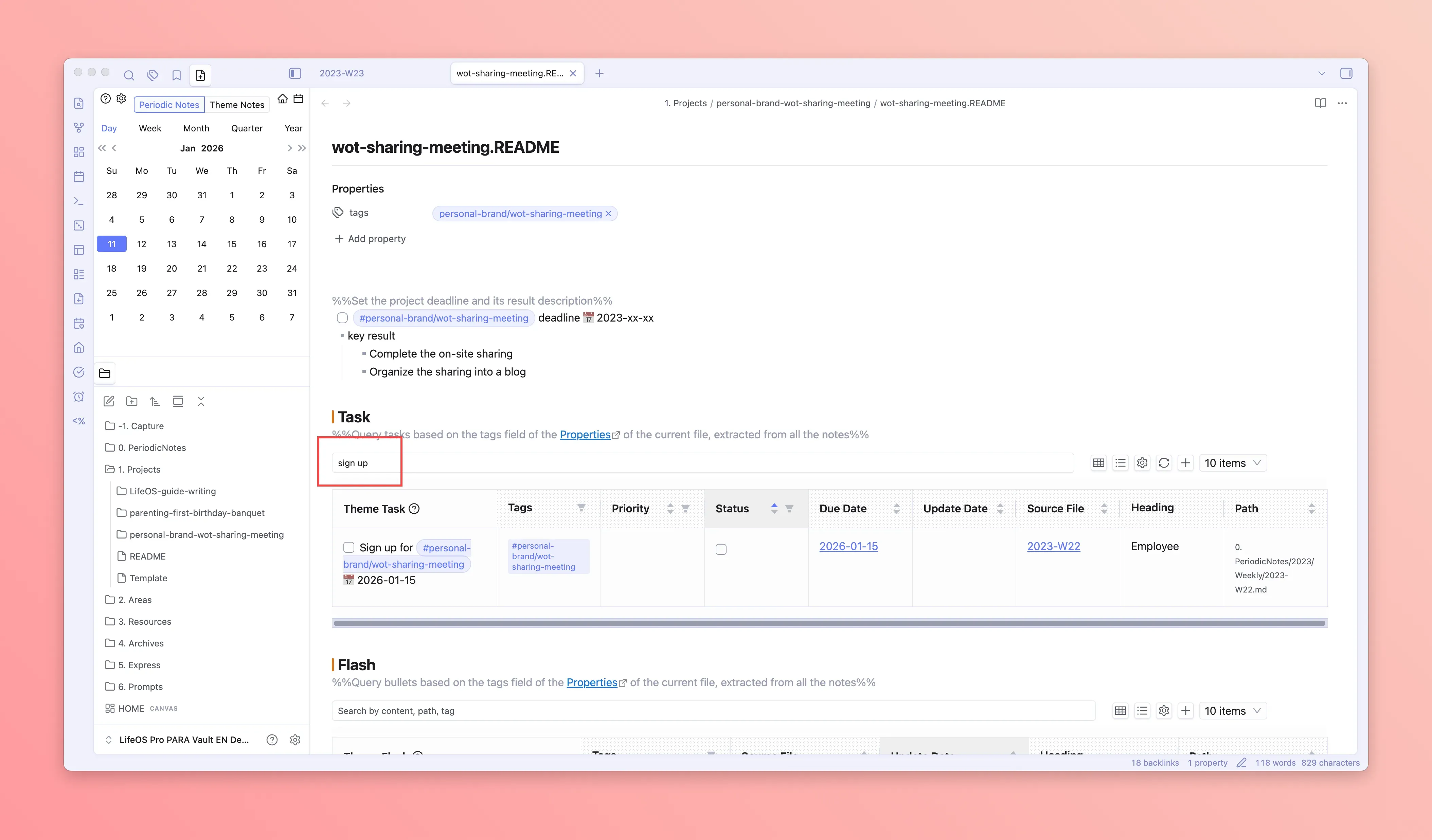
Advanced lists support full-text search, allowing you to quickly locate entries containing keywords.
Filter
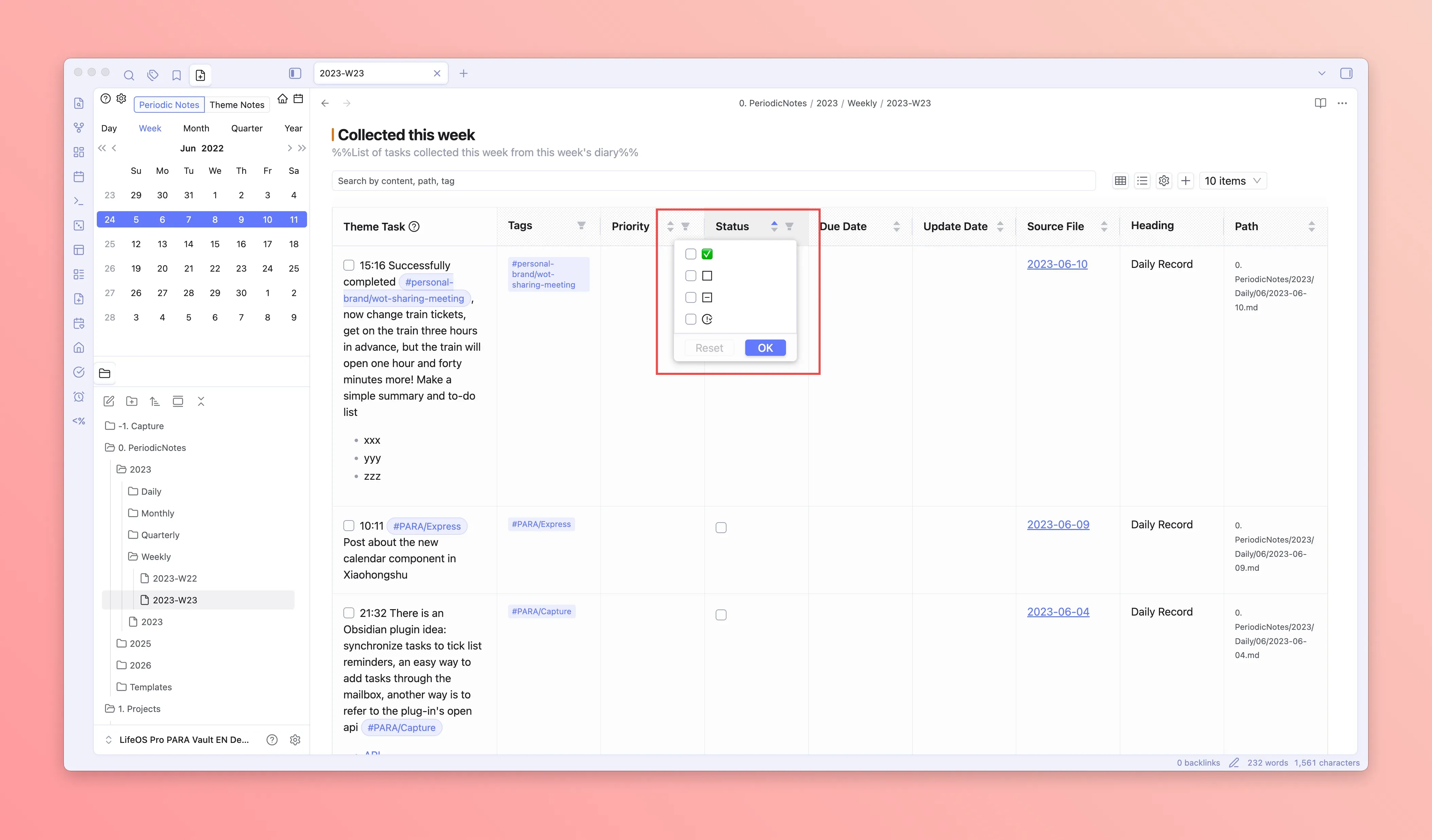
Filter by status, priority, and other conditions. Filter states are automatically saved and restored when you reopen.
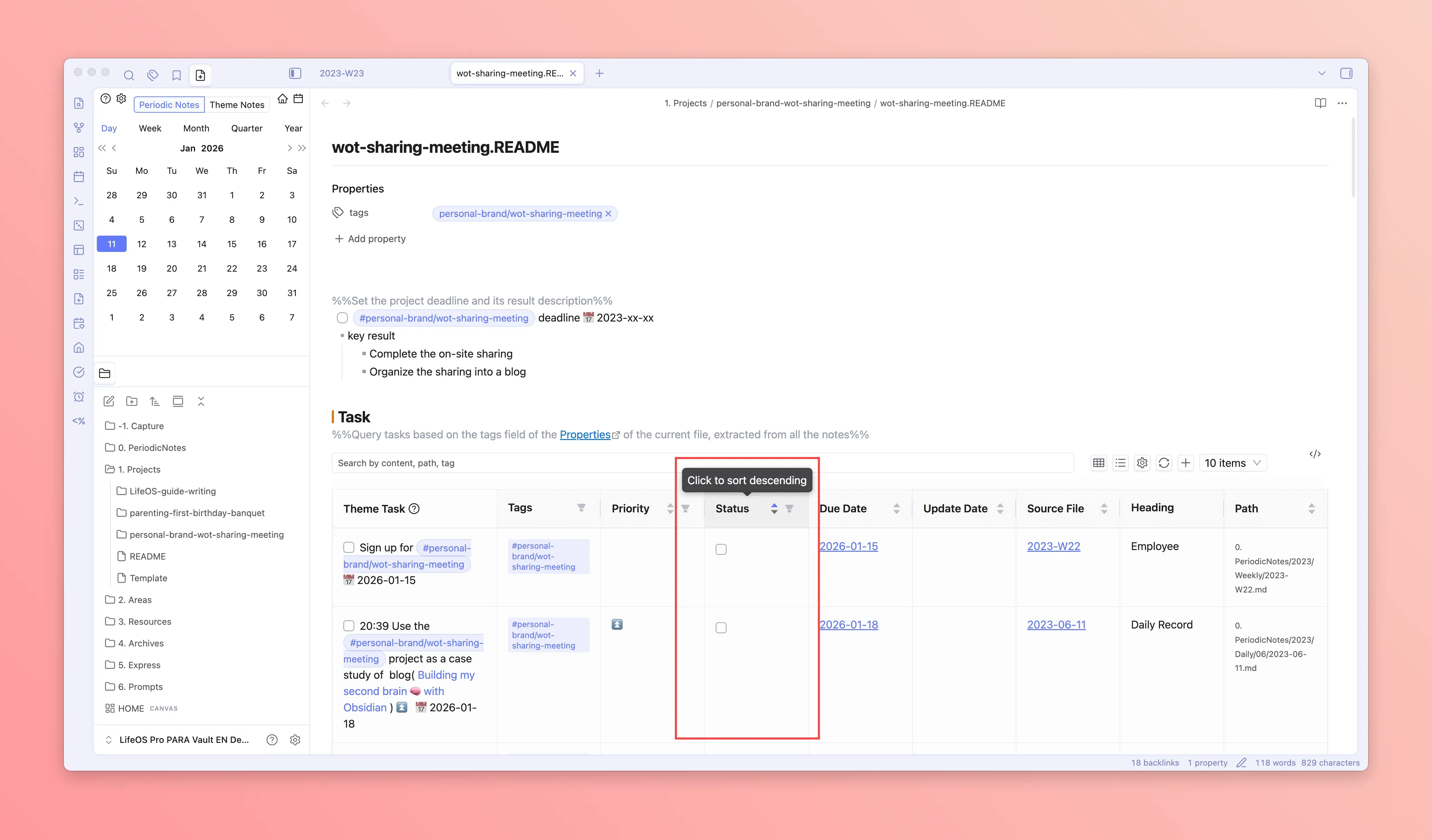
Sort
Click on column headers to sort in ascending or descending order.
Copy
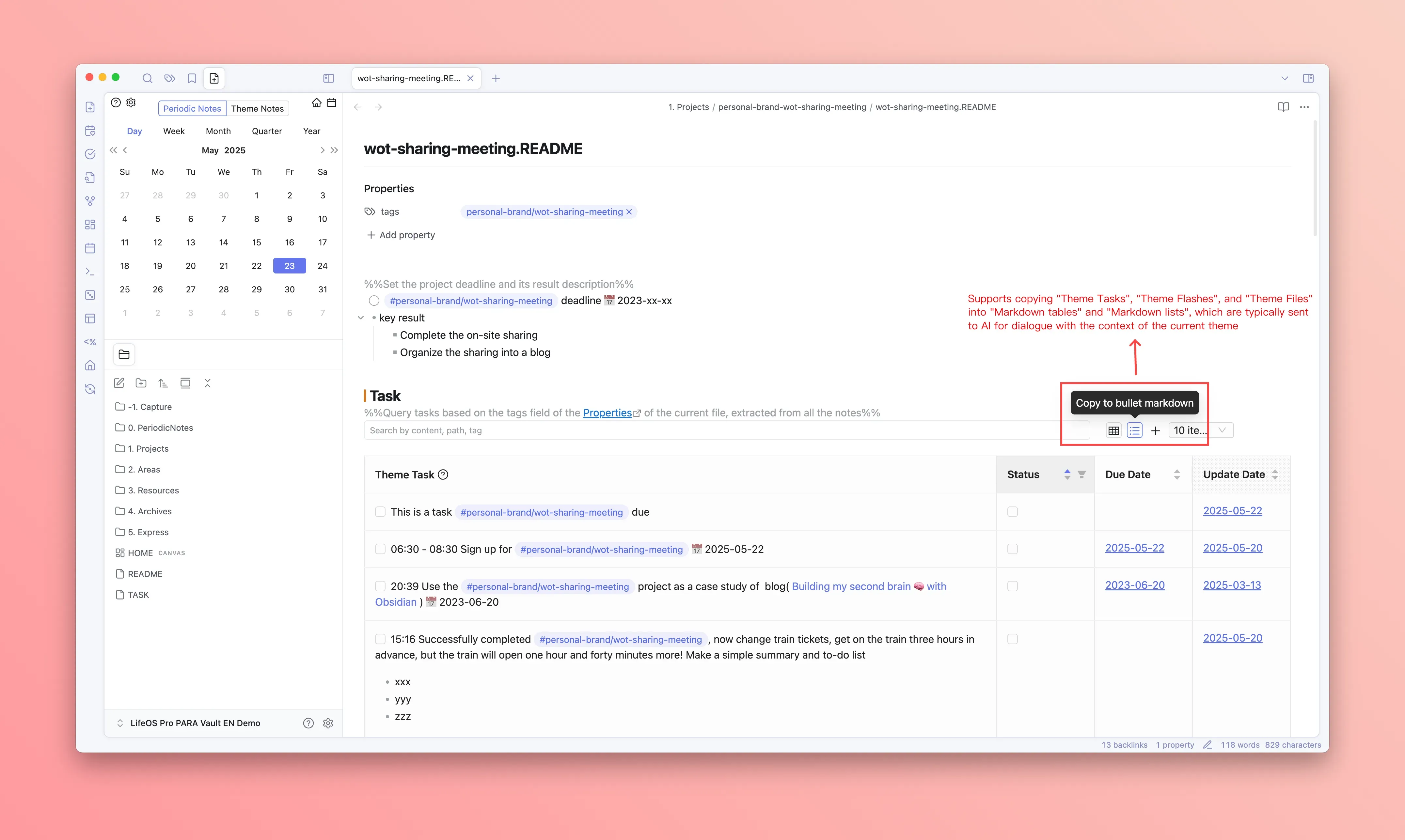
Advanced lists provide two copy formats:
- Copy as Table: Copy current page data as Markdown table format
- Copy as List: Copy current page data as Markdown list format
Column Settings
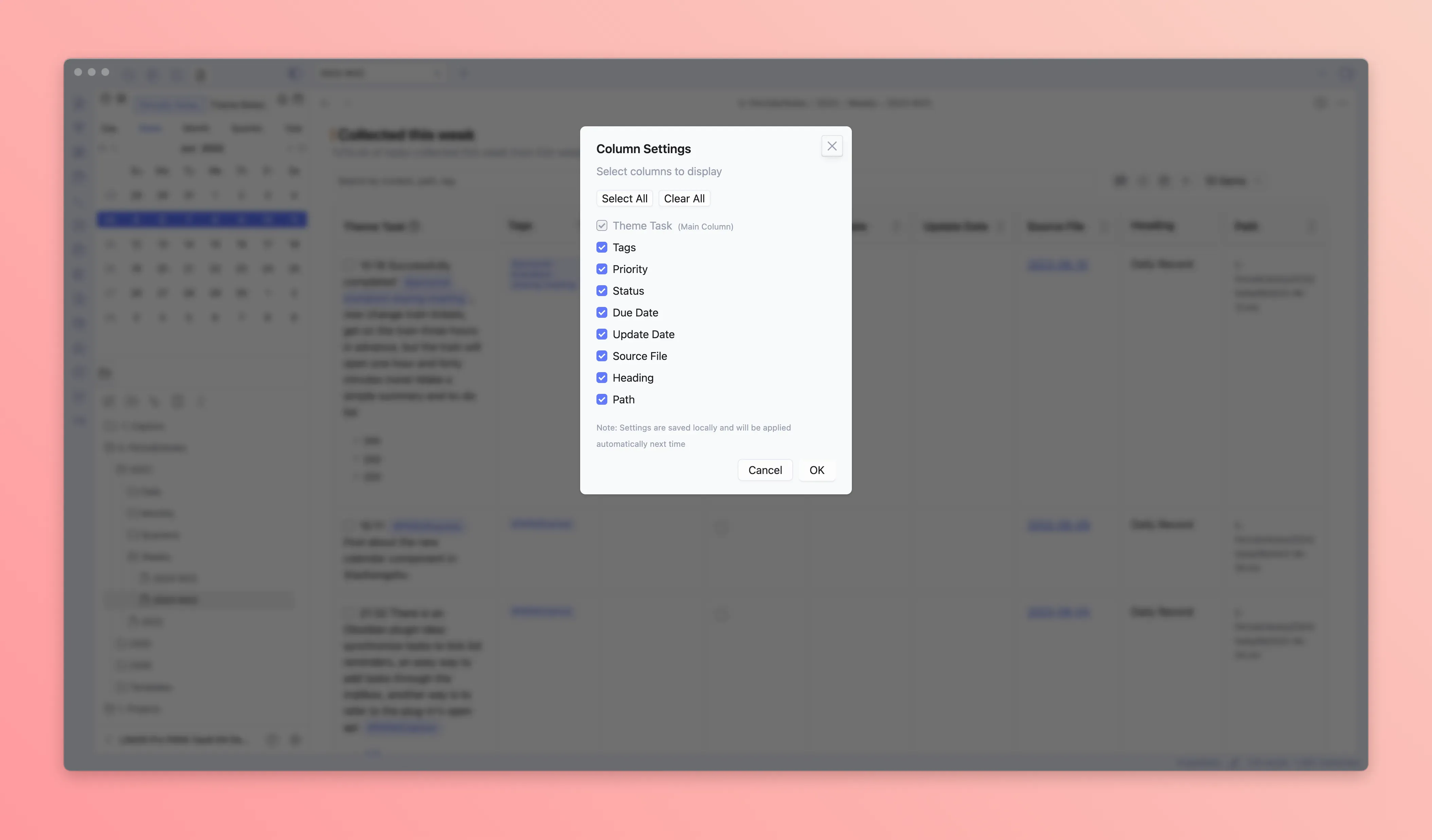
Click the settings icon to customize displayed columns:
- Check/uncheck to show/hide columns
- The first column (main column) is always visible and cannot be hidden
- Supports select all/deselect all shortcuts
- Column configuration is automatically saved
Column Width Adjustment
Drag the column header edges to adjust column width. Adjusted widths are automatically saved.
Pagination
Supports paginated display with options to show 10, 50, or all data per page.
Remote Task Sync
The task list supports displaying sync status with remote calendars (iCloud/CalDAV), helping you understand whether tasks have been pushed to remote calendars.