
GTD Example Vault
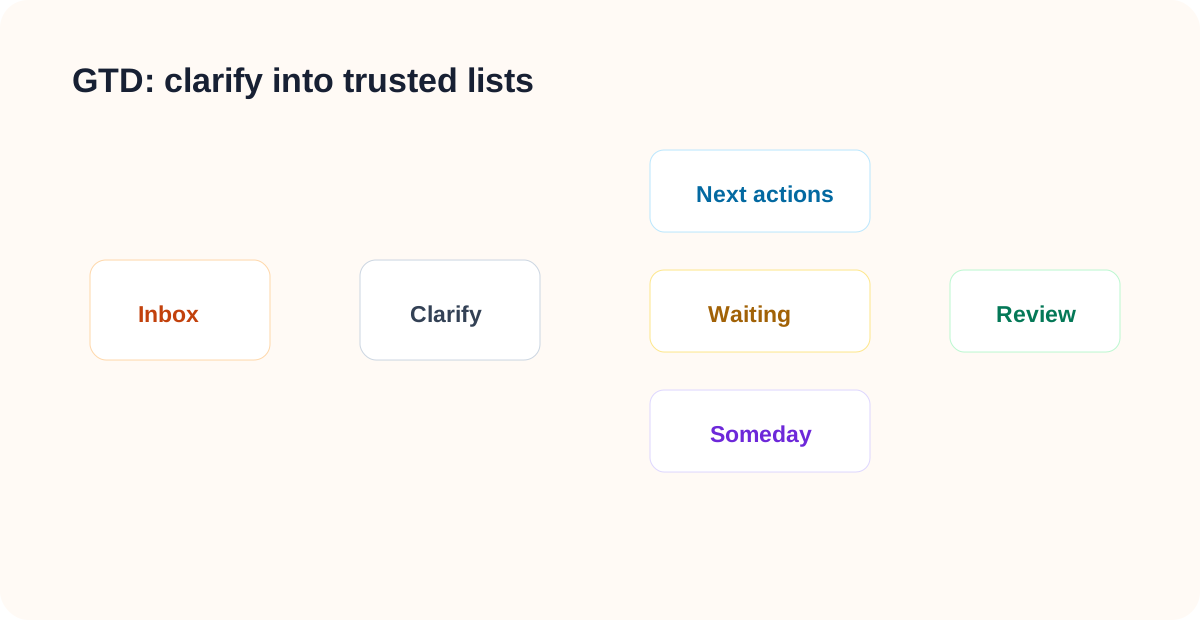
LifeOS Pro GTD Vault starts with execution. It puts unclear material into the inbox, then turns it into next actions, waiting-for items, someday items, projects, or reference material.
Open the Vault in Obsidian
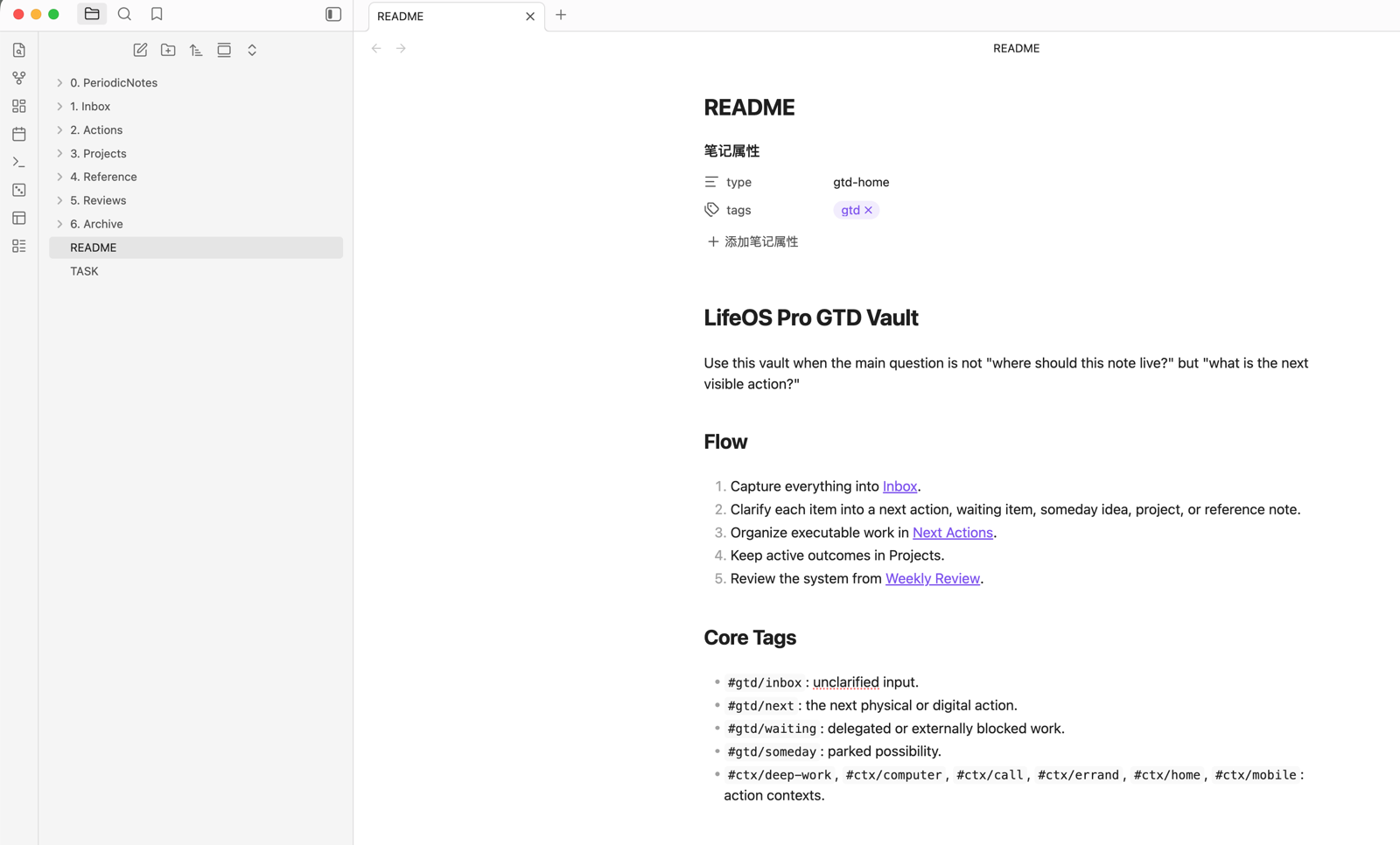
The GTD example vault starts from 1. Inbox and 2. Actions. Everything unclear enters the inbox first, then moves into next actions, waiting-for items, someday items, projects, or reference material.
Review Next Actions
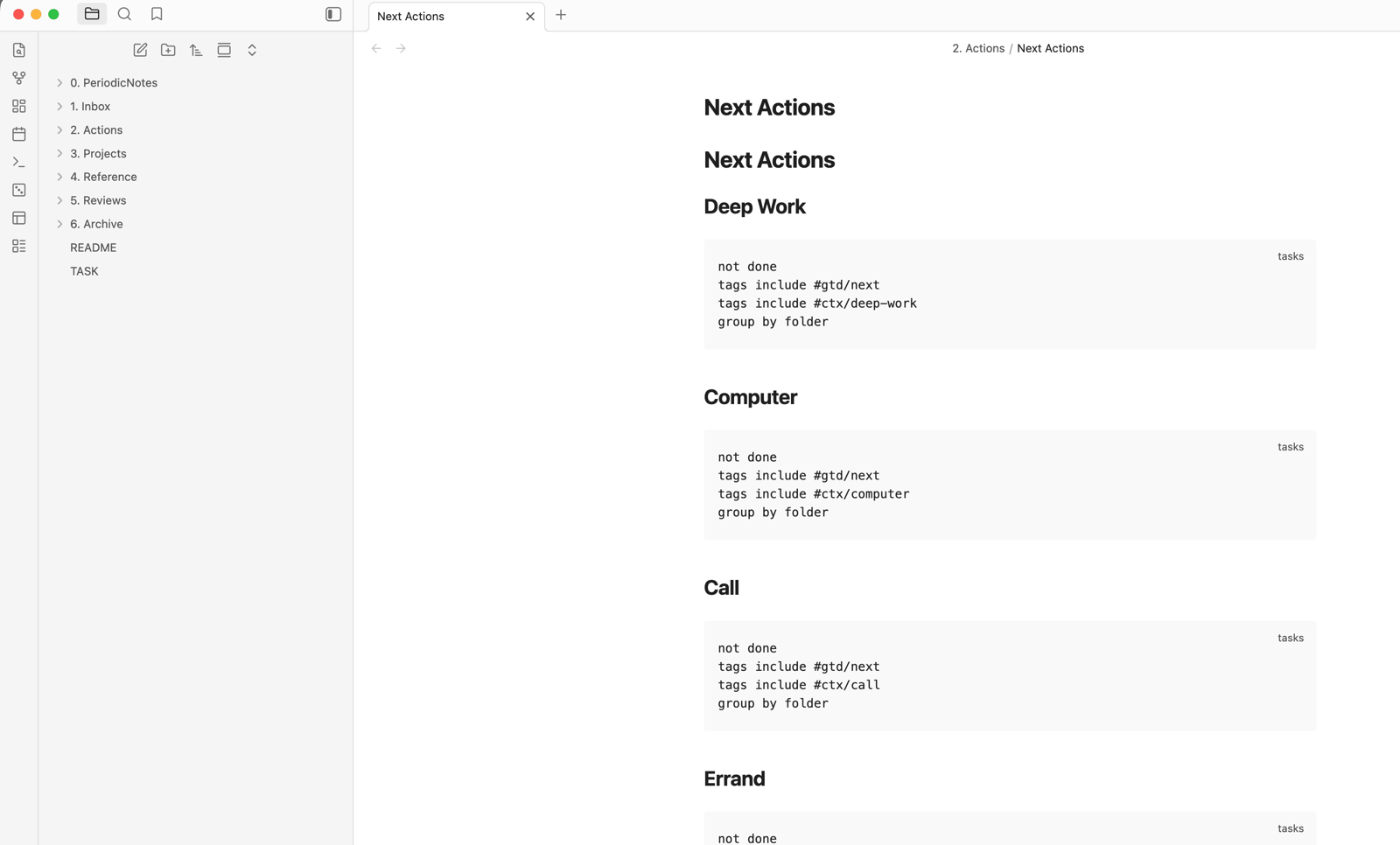
Next Actions.md groups executable tasks by context. After the Tasks plugin is enabled, these queries aggregate tasks from daily notes, projects, and the inbox, so you only need to clear the inbox regularly and work from the action list that matches your current context.
10-Minute Practice
- Add three unclear items to
1. Inbox/Inbox.md. - Turn one into a next action:
- [ ] Polish the LifeOS GTD example-vault guide #gtd/next #ctx/computer. - Turn one into a waiting-for item:
- [ ] Waiting for Alex to confirm pricing-page copy #gtd/waiting. - Move one idea you will not do now into
Someday Maybe.md. - Open
TASK.mdand confirm the Tasks plugin aggregates the action lists. - Use
Weekly Review.mdto check whether there is still unclarified input.
What to Read Next
- Task Creation — Create tasks from notes, calendar, and task views.
- Task View — Aggregate next actions, waiting-for items, and lists.
- Calendar View — Put dated actions onto the calendar.
- Pomodoro — Execute actions and record time.
- Review — Clear the inbox, waiting-for items, and someday list regularly.